At WWDC in May of this year, Apple introduced the biggest design overhaul since iOS 7 across its entire product line—phones, tablets, and computers—Liquid Glass. Over the following four months, iOS 26 saw eight developer betas and three public betas. Rather than improving the system’s look and feel and stability with each release, it’s more likely that each version fixed bizarre bugs from the previous one, as well as shifting aesthetic choices that weren’t actually bugs.
A week after the September 2018 iPhone 17 event, and three days before the official launch of the new iPhone 17 series, Apple finalized everything and pushed the official iOS 26 (version 23A341) update to all compatible models. The iPhone 17 series and iPhone Air were pre-installed with the official iOS 26 (version 23A330) before their release. This highly anticipated new visual system has finally come to us after multiple rounds of adjustments and polishing.
Naming
If the new iOS version number followed numerical sequence, it would have been 19. However, Apple has broken this convention, choosing to name it after next year, “26.” This new naming convention is familiar to Americans: the automotive industry has long practiced this, releasing the 26th (or even 27th) model year after the 25th (or even the first half of the year). The underlying logic is that consumers don’t want their phones or cars to feel “outdated” shortly after purchase.
The Liquid Glass Era Arrives
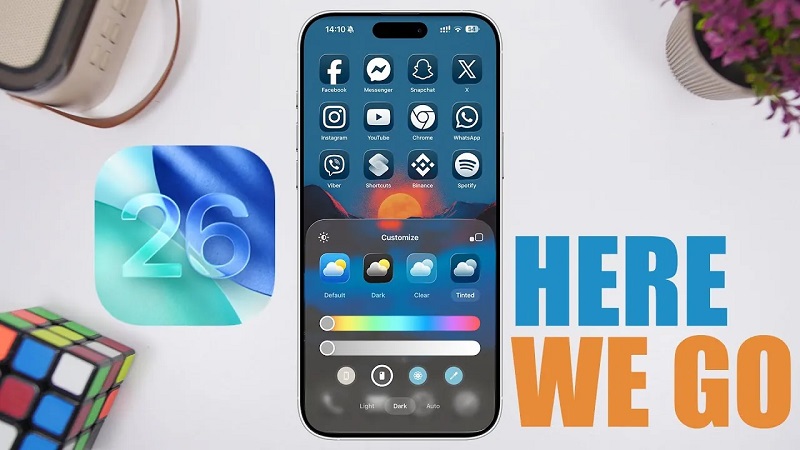
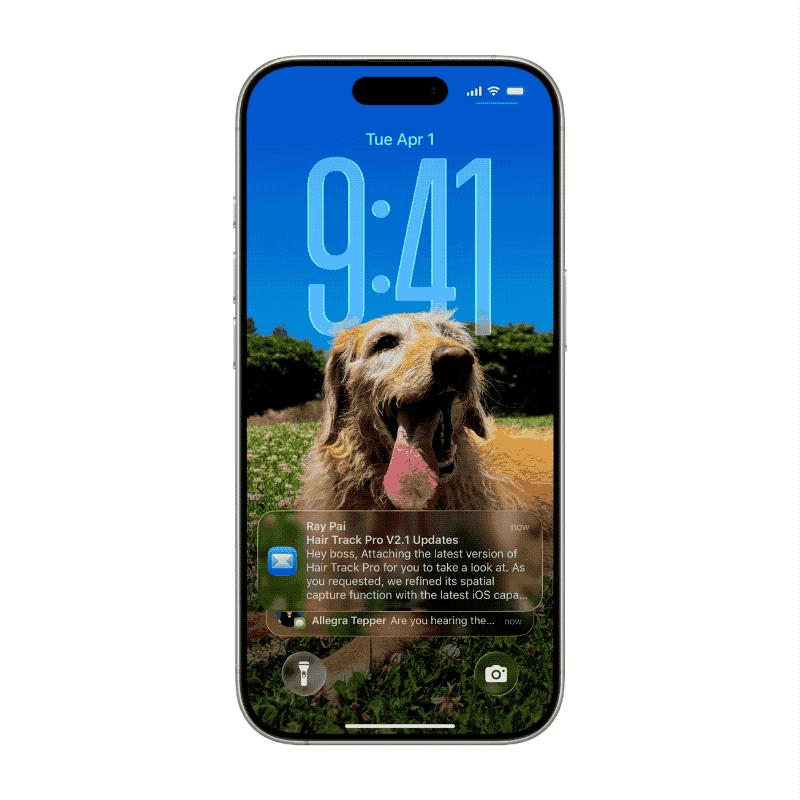
If you still remember the flat design trend introduced by iOS 7, then the “Liquid Glass” design of iOS 26 will be another revolutionary change worthy of being recorded in Apple design history. This new design language, derived from the Vision Pro design philosophy, has been named “Solarium” by Apple and aims to bring an unprecedented sense of transparency and vitality to the user interface. This visual impact is evident the moment you turn on the screen. The time and shortcut widgets appear to float above the screen, creating a translucent, delicate glass texture.
The Dock bar and folders at the bottom have also evolved into this crystal-clear form, and the edges of the icons have even been added with HDR effects, shining in the light. As a system-level design language, liquid glass is integrated into every aspect of iOS 26:
Notification Center: When you pull down, the edges have a clear glass reflection effect, just like sliding a piece of real glass in the real world.
Control Center: Each switch looks like a piece of warm glass, responding in real time to your interactions and rendering realistic light and shadow effects.
Native Apps: In the App Store, drag the bottom navigation bar, and the icons will flow smoothly under your fingertips like liquid. Whether it’s Apple Music, Maps, or Health, you can experience this transparency and agility.
Apple doesn’t want the UI to be just a layer floating on the glass. Instead, it truly makes the glass an integral part of the interface: translucent, with depth, movement, and a sense of “alive.”
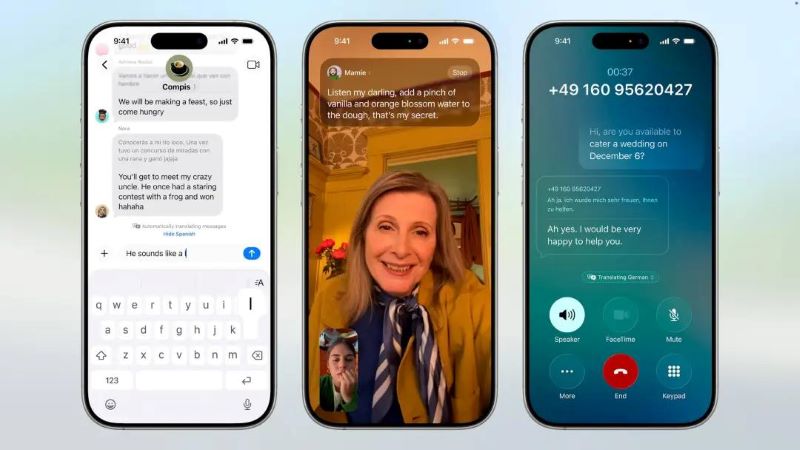
Of course, not all users will embrace the dramatic changes and impact of liquid glass. Currently, the latest version prior to iOS 26 is iOS 18.7, which retains the previous design language and overall system style. Based on past experience, prior versions of iOS will still receive signature verification and support from Apple for at least 3-5 years, including user experience optimizations and security updates. However, they typically won’t include major features or minor updates for which development hasn’t yet begun. In other words, theoretically, if you don’t like iOS 26, you can continue using iOS 18 for many years; you can also upgrade to iOS 26 and then revert back to iOS 18. However, if you’ve purchased a new iPhone 17 series or Air, you’re likely stuck with iOS 26.
Beyond its stunning visuals, iOS 26 also significantly redesigns two core apps, addressing the increasing bloat of previous versions.
More Streamlined Camera App
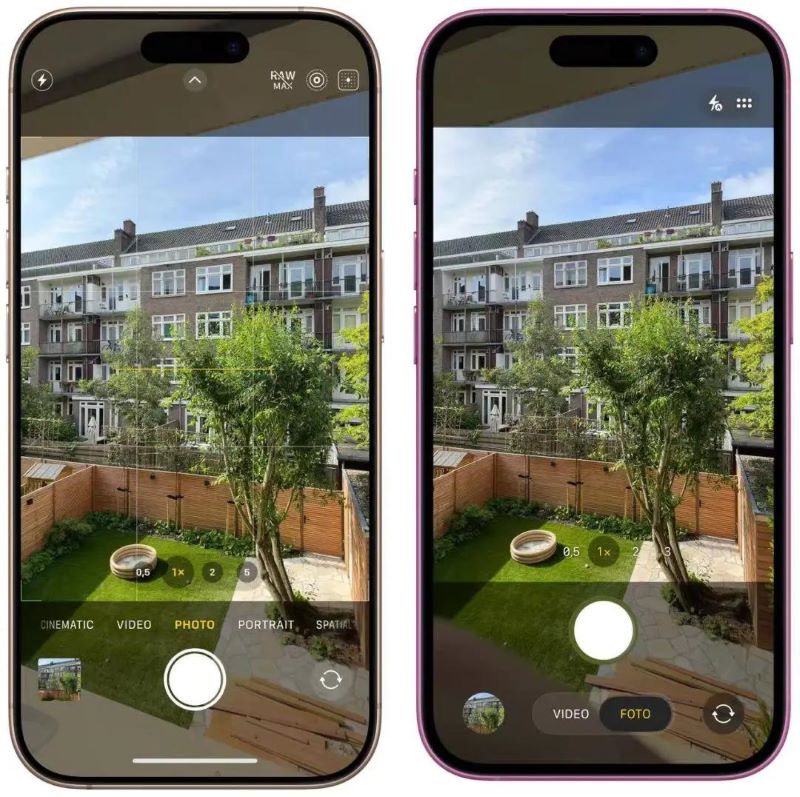
Apple has reorganized the complex camera modes, radically simplifying the main interface to focus on just the two core buttons: “Photo” and “Video.” Other modes, such as Portrait and Panorama, are hidden by default and can be accessed by swiping left or right on the main interface. This maintains the functionality while making everyday photography easier and more intuitive. Furthermore, the layout of other buttons has been clarified: the top right corner houses permanent shortcut controls like the flash, while the adjacent control bar opens a secondary menu displaying all the professional settings for the current mode, providing an at-a-glance overview. The top left corner allows for quick switching between video and photo specifications and resolutions. Previous versions of the camera interface, plagued by duplicated controls and complex modes, have finally been addressed with iOS 26.
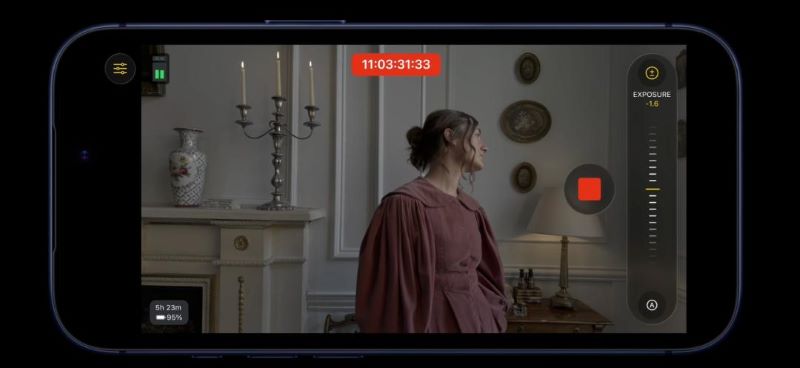
In conjunction with last week’s product launch, Apple also updated Final Cut Camera to version 2.0. This free app for professional film and television production supports extensive customization, including white balance and manual focus settings. FCC can also take full advantage of the powerful original data recording format ProRes RAW newly added to the iPhone 17 Pro/Max series, bringing unprecedented post-production freedom to mobile phone videos.
Better Gallery
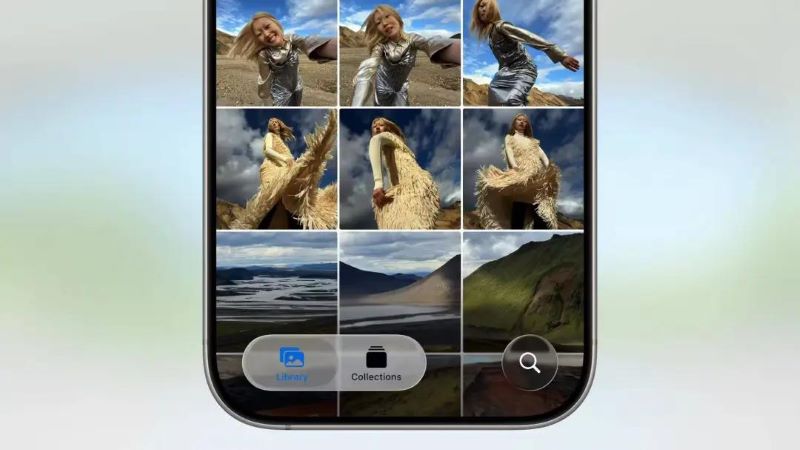
A departure from the much-maligned waterfall navigation in iOS 18, the liquid glass navigation bar at the bottom of the Gallery in iOS 26 has officially returned. The new Gallery completely separates the Gallery and Collections. The Gallery returns to its purest form, allowing you to browse all your photos and videos in chronological order without distractions. The original categories, such as albums, media types, and people, have been organized into a powerful collection, which is customizable and allows you to pin frequently used modules to the top. While it’s not a complete return to the familiar look, it’s much easier to use than before. The Gallery also adds a fun feature: Space Photos. With a simple tap, ordinary 2D photos can be transformed into a three-dimensional effect. This feature also applies to wallpapers, creating a more interesting hand-raising experience.
Liquid Glass is the most visible difference between iOS 26 and its predecessors, as well as its biggest potential point of contention. After minor tweaks in Beta 2 and the extreme conservatism of Beta 3, Apple seems to have found a new balance, allowing this gamble-like design update to land smoothly. Furthermore, mainstream apps are now fully compatible, especially on the home screen, where all major icons support the new Liquid Glass mode. While artificial intelligence remains absent, Apple delivered iOS 26 with its first major design overhaul in twelve years. Starting with the upcoming iPhone 17 series, all new iPhones will feature this all-new Liquid Glass system.